
Product Sets: Bulk Actions
You can update Product Sets individually or use the Bulk Actions feature to make changes across multiple Product Sets at once, saving time and streamlining your workflow. How Does Bulk Actions work? Go over to your Product Sets page, and you’ll find the Bulk Actions dropdown at both the top and bottom of the page. […]
Merchant vs. Brand: What’s the Difference?
In affiliate marketing, the terms “Merchant” and “Brand” are commonly used, each serving a unique role. What is a merchant? Merchants are businesses that work with affiliates to promote and sell their products or services through affiliate marketing. Merchants can also be known as retailers or advertisers. These companies, range from small businesses to major […]
Create A Comparison Set using the Brand Filter
Comparison Sets can be created and adjusted with different filters for more refined results. For instance: Comparison Sets can be created using the brand filter to only include products from a certain brand. For example, let’s take this product, Dyson V8 Cordless Stick Vacuum and create a Comparison Set using the product barcode. This will […]
Naming Product Sets: Best Practices
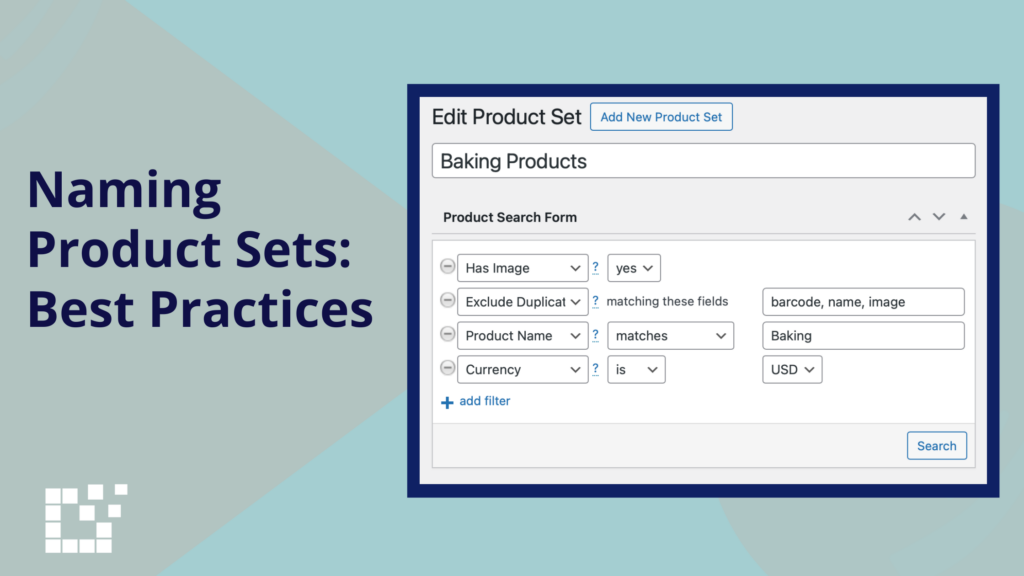
Every Product Set created on Datafeedr can be given a specific name. When creating a new Product, it is recommended to name your Product Set. Why is it important to name Product Sets? Naming product sets offers several key benefits, including: What are recommended Product Set names? You have flexibility in naming product sets to […]
Open Buy Now Links in New Window

“Buy Now” links are direct URLs that take website visitors to a specific product page where they can immediately purchase the product. These links are often displayed as Buy Buttons. You can choose to open “Buy Now” links in the same window (aka tab) or in a new window, depending on the experience you prefer […]
Display Last Updated Text
Comparison Sets can display the date and time of their most recent update. By default, this setting is enabled, displaying the last updated date and time in the bottom right-hand corner of the Comparison Set Displaying the last updated date and time for Comparison Sets offers several advantages: There is also the option to disable […]
Search Drop Down Options: “Is”

Product Set search results can be refined and specified using the Search Drop Down Options. There are multiple Drop Down Options that can be used. For example, matches, contains, doesn’t contain, starts with, ends with, and is. Is can be used as a filter option for commonly searched fields like Product Name and Any Field. […]
Create a Comparison Set Using Multiple Filters
Comparison Sets can be customized in multiple ways, including the use of various filters. For example: You can use these filters on their own or combine them for more precise results. By applying multiple filters at once, the Comparison Set can be refined and specified based on your exact preference. For instance, create a Comparison […]
Optimizing Default Product Search Settings
A Product Set is created by applying Search Filters to narrow down your results, ensuring you find only the specific products you want to feature on your website. If there are filters you consistently use, you can optimize the default Product Search settings to make this process more efficient and tailored to your needs. To […]
Update WooCommerce Product Prices to Match Comparison Set Prices
Comparison Sets can easily be added to WooCommerce products on your website. By default, the price of a single WooCommerce product will be shown. This means, the price of the product at the selected merchant for the WooCommerce product will be displayed. In this case, the selected merchant is PGA Tour Superstore. Once a Comparison Set has […]


