
If you work with merchants across different countries, you have probably noticed that prices can appear in multiple currencies.
Creating separate Comparison Sets by currency keeps prices accurate, consistent, and easier to compare.
If one product shows $49 and another shows €45, the comparison is no longer clear. Even small exchange rate differences can throw off your results.
By filtering Product Sets by currency, you make sure every price in a set is based on the same unit to create clearer results for shoppers.
How to Filter by Currency
When building your Comparison Set, use the Currency field to filter for the exact type you need.
Example:
- [dfrcs barcode= “885609027319” filters=”currency=USD”]
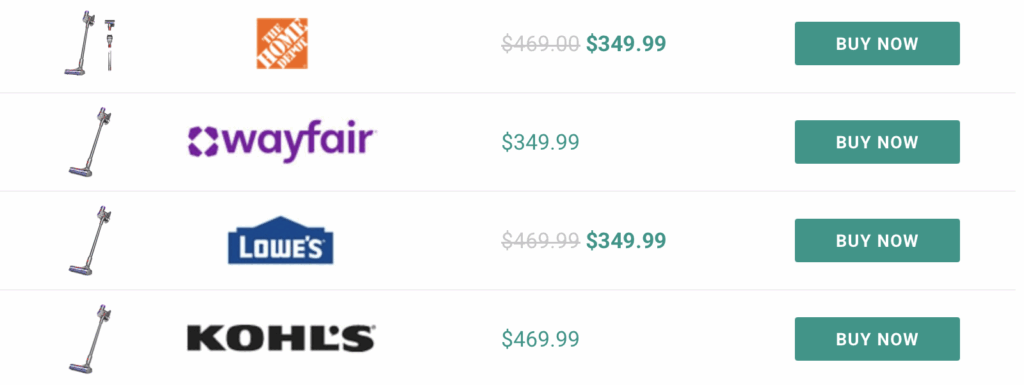
Each version will automatically pull only the products that match that currency.
This setup works especially well when merchants submit feeds for multiple regions, since their prices and offers often differ by country.
When to Separate vs Combine
If your goal is to compare product prices directly, separate your comparison sets by currency. This keeps your comparisons accurate and prevents any false pricing differences.
If your goal is to highlight global availability, you can include multiple currencies. In that case, your focus is on showing coverage, not comparison.
For more information, view written documentation here.