
When building Product Sets, sometimes a single search term isn’t enough. You might want to target a specific brand, exclude certain keywords, or layer multiple filters to find only the most relevant results.
Using multiple search filters and conditions gives you precise control over how products appear in your Product Sets. You can include or exclude terms, combine keywords, and add layered filters that narrow down your data until it shows exactly what you want.
Merchant data can vary widely. Some listings might include model numbers, others might emphasize color or size, and some may not follow a consistent naming structure at all. By using multiple search conditions, you can catch all the right variations without pulling in unrelated results.
For example, instead of searching only for “coffee maker,” you can refine your search to:
- Include “coffee”
- Include “maker”
- Exclude “espresso”
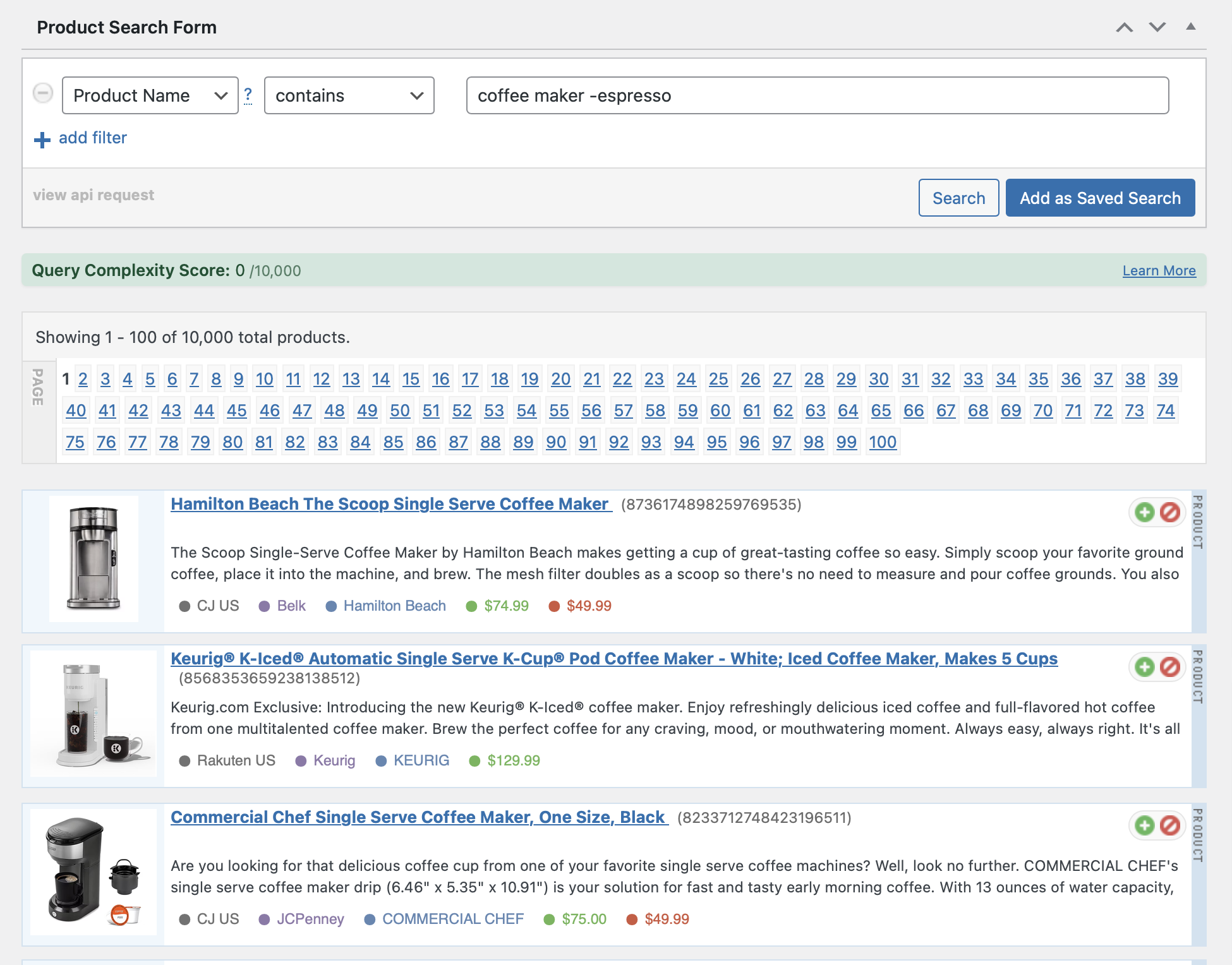
The result is a Product Set focused on standard coffee makers while leaving out espresso machines and accessories.
How to Combine Search Conditions
When you add multiple search conditions, each one works together to shape your Product Set results. You can:
- Stack Includes: Add multiple “Contains” or “Matches” searches to bring in specific variations.
- Example:
Contains = “wireless”andContains = “headphones”
- Example:
- Add Exclusions: Use “Doesn’t Contain” to remove unwanted terms.
- Example:
Doesn’t Contain = “refurbished”
- Example:
- Mix and Match: Combine “Contains,” “Matches,” and “Doesn’t Contain” in the same Product Set to fine-tune results.
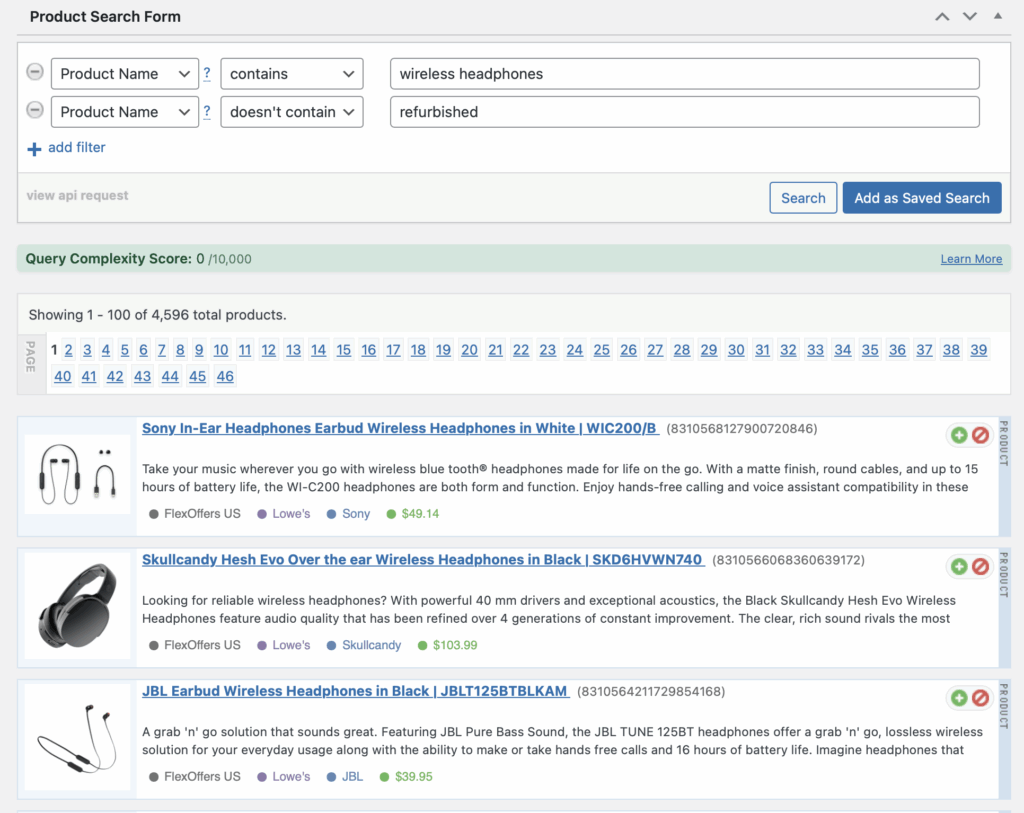
Each condition acts like a filter layer, narrowing your data step by step.
Example 1: Narrowing a Product Category
You want to find laptops but exclude Chromebooks.
Contains = “laptop”Doesn’t Contain = “chromebook”
Example 2: Targeting a Brand and Category Together
You want Apple accessories, but not iPhones.
Contains = “Apple”Contains = “accessory”Doesn’t Contain = “iPhone”
Example 3: Creating a High-Intent Product Set
You want premium running shoes.
Contains = “running”Contains = “shoes”Doesn’t Contain = “kids”- Filter by price greater than 100
Multiple search conditions give you flexibility and precision in one step. They help you capture what matters, exclude what doesn’t, and create Product Sets that feel curated.
To learn more, visit https://datafeedrapi.helpscoutdocs.com/.