
A $200 suitcase can feel expensive until it’s sitting next to a $500 one.
A basic coffee maker might seem perfectly adequate on its own, but place it beside a model with a built-in grinder, programmable settings, and temperature controls and suddenly the differences become much more noticeable.
The product hasn’t changed. The context around it has.
Shoppers rarely evaluate products in isolation. What appears alongside a product, why someone is shopping, and what alternatives are available can all influence how that product is perceived.
The Products Around It Matter
Every product creates a reference point for the next one.
When shoppers browse several options together, they naturally start noticing differences in price, features, design, and value. An option that initially seemed expensive may begin to look reasonable. A product that appeared feature-rich may suddenly feel basic.
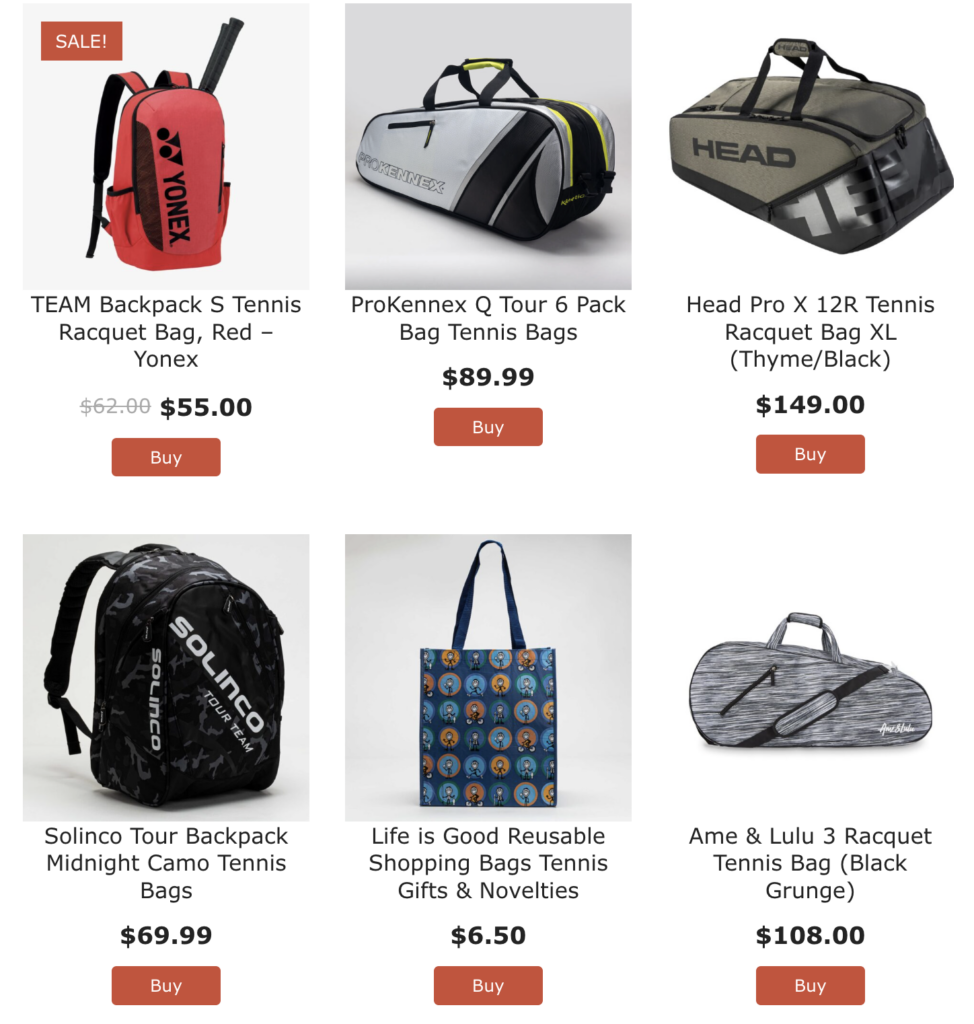
This is one reason thoughtful product groupings can be so useful. They give shoppers something meaningful to evaluate products against.
The goal is not simply to present more options. It is to provide enough context for those options to make sense.
The Same Product Can Serve Different Needs
Consider a compact portable speaker.
On a page about home audio, shoppers might evaluate it based on sound quality and power.
On a page about travel essentials, size, battery life, and portability may become much more important.
On a collection of gifts under $100, price and broad appeal could take priority.
It is still the same speaker, but its most relevant qualities change depending on why the shopper is looking at it.
This creates opportunities to feature the same products in different ways without creating the same experience each time.
Price Is Relative Too
Price becomes much easier to understand when shoppers have a frame of reference.
Showing products across several price points can help visitors understand what they gain by spending more and what they may be giving up by spending less.
A $75 product means something different in a collection ranging from $20 to $100 than it does in one ranging from $50 to $500.
The surrounding options help shoppers decide whether a product feels entry-level, premium, or somewhere in between.
Shopping Intent Changes Priorities
Context also comes from the shopper.
Someone replacing a broken laptop today may evaluate products very differently from someone casually researching an upgrade for later in the year.
Urgency, budget, experience level, intended use, and familiarity with the category can all change what matters most.
Product content can account for those differences by giving shoppers multiple ways to approach a category rather than assuming everyone is evaluating products with the same priorities.
Give Products a Reason to Be There
A strong collection should make it clear why its products belong together.
Maybe they solve the same problem. Maybe they represent different budgets. Maybe they work for different types of shoppers or offer different approaches to the same goal.
That shared context turns a collection from a group of individual listings into something shoppers can actually use to understand their options.
Instead of asking only, “Is this a good product?” shoppers can answer a much more useful question:
“Is this the right product for what I need?”
When the right context is in place, products become easier to understand, compare, and evaluate based on what matters most to each shopper.
To learn more, check out written documentation here.