

How to Update Last Year's Gift Guides Without Starting Over
By Casey
The holiday season is approaching, and that gift guide you spent hours putting together last year is still sitting on your website.
The good news? You probably don't need to start from scratch.
Many gift guide ideas remain relevant year after year. People are still shopping for parents, coworkers, friends, and hard-to-buy-for relatives. While the products themselves may change, the reasons people shop for them often stay the same.
Instead of creating an entirely new guide, you can build on what you've already published. A few thoughtful updates can make last year's content useful for another holiday season.
Start With What Still Works
Before replacing products or rewriting descriptions, read through the existing guide.
Which sections are still relevant? Are the gift categories useful? Does the introduction still make sense, or does it reference trends and products that were popular last year?
A guide organized around interests, hobbies, or recipients may need very few structural changes. For example, sections like "Gifts for Coffee Lovers" or "Gifts for Someone Who Loves Cooking" can remain relevant even as individual products change.
Keep the parts that still serve readers well. Your time is better spent improving outdated information than rewriting content that already works.
Check Which Products Are Still Available
One of the biggest challenges with reusing an older gift guide is product availability.
Some items may have sold out, been discontinued, or disappeared from a retailer's catalog. Others may still be available but at a different price.
Review the products featured in your guide and identify which ones need attention.
If a product is no longer available, look for a suitable replacement. That might be a newer model, a similar item from another brand, or an alternative from a different retailer.
This is also where product data tools can help. Datafeedr's Product Sets can be configured to update imported product information on a schedule and remove products that are no longer available through its data source. Saved-search Product Sets can also bring in new matching products, reducing some of the manual work involved in maintaining a collection.
However, editorial recommendations and manually written descriptions still deserve a separate review.
Revisit Your Price Ranges
A gift guide organized by budget can become outdated even when the products are still available.
An item that originally cost $45 might now sell for $60, making it a poor fit for a "Gifts Under $50" section.
Review the current prices and make sure products still belong in their assigned categories.
You may also discover opportunities to improve the guide. Perhaps you can add more affordable options, introduce a midrange section, or include a few higher-priced gifts for shoppers looking to spend more.
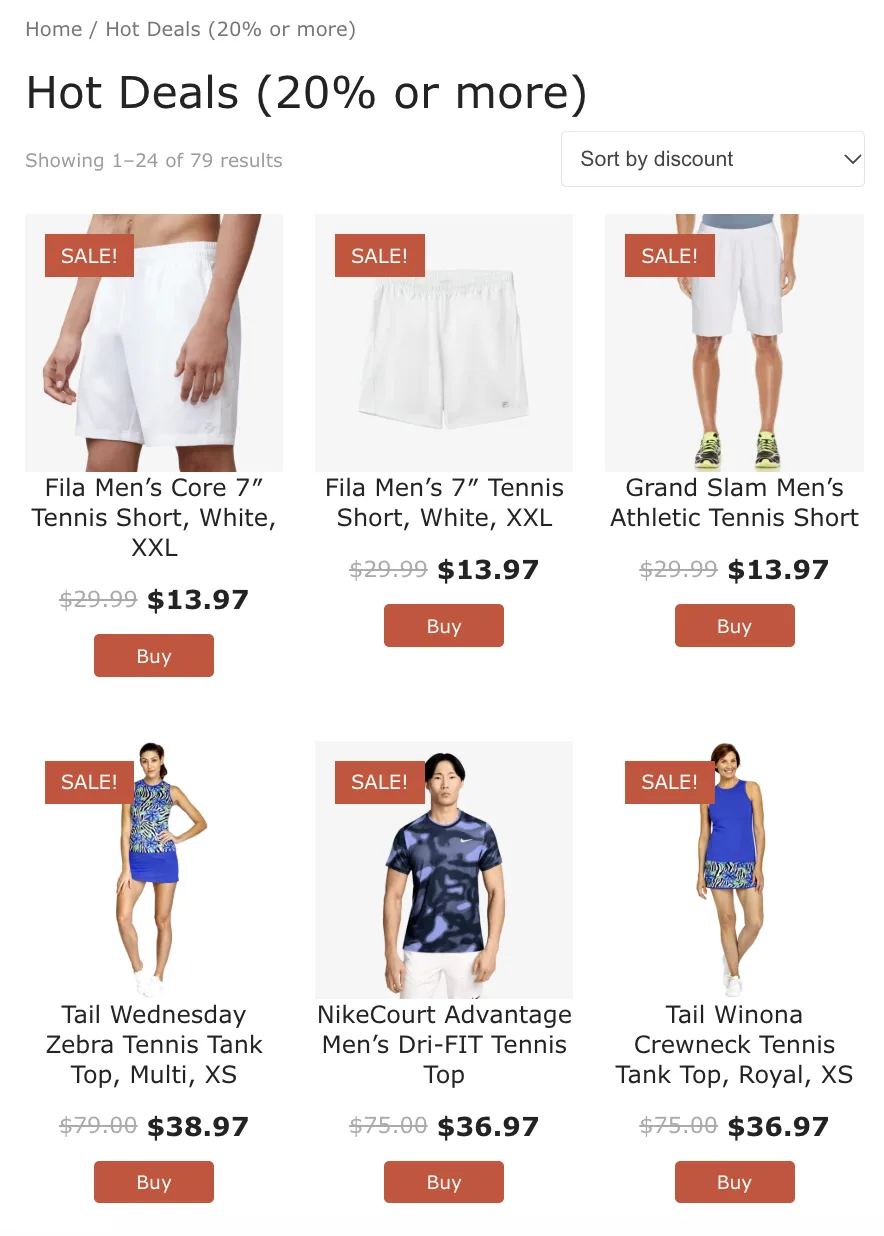
Datafeedr's product search filters can help narrow product searches by price, making it easier to find options within a particular budget.
The goal is to make sure the guide reflects what shoppers can actually purchase at the prices you're presenting.
Add Something New for This Year
Updating an existing guide doesn't mean keeping every recommendation.
Even if most of the original products are still relevant, introducing a few new options can make the content more interesting.
Look for newer product releases, emerging gift ideas, or categories that weren't included previously.
For example, a gift guide for someone who enjoys cooking might benefit from a few new kitchen gadgets or accessories that weren't available when the article was first published.
You don't need to replace everything. A combination of reliable favorites and newer discoveries can make the guide feel current without losing what made it useful in the first place.
Review More Than Just the Products
It's easy to focus on product links and prices while overlooking the surrounding content.
Check for references to last year's holidays, outdated promotions, expired discount codes, and seasonal language that no longer applies.
Pay attention to product descriptions as well. If you've replaced an item, make sure the accompanying text accurately describes the new recommendation.
You should also review the article's title, headings, images, and any dates mentioned throughout the page.
These smaller details can make the difference between a guide that feels freshly updated and one that still reads like last year's content.
Make Future Updates Easier
Once you've refreshed the guide, consider how you can reduce the work required next year.
Organizing products into clear sections, avoiding unnecessary references to specific years, and using product collections that can be maintained over time can make seasonal updates more manageable.
With Datafeedr, Product Sets can help maintain imported product information, including changes to availability and pricing, according to their configured update schedules. This can be particularly helpful for publishers managing multiple gift guides or large product collections.
That doesn't eliminate the need to review your content, but it can reduce the amount of routine product maintenance involved.
Give Your Existing Content Another Season
A good gift guide doesn't have to be a one-time project.
If the topic is still relevant and the original structure works, updating the products, prices, and seasonal details may be all it needs.
Reusing existing content also gives you more time to focus on new ideas instead of rebuilding familiar articles every holiday season.
Sometimes the best place to start this year's gift guide is with the one you already created.
For learn more, check out written documentation here (opens in a new tab).